

Managing multiple trading accounts can quickly become challenging, especially for futures traders and prop firm traders who need to execute the same strategy across several accounts.
Instead of manually placing the same trade on every account, a trade copier can automate the process and synchronize trades from one account to multiple accounts.
TradeSyncer is a cloud-based trade copier designed specifically for this type of multi-account trading environment. It allows traders to use one account as a leader and automatically replicate trades across multiple follower accounts.
In this TradeSyncer review, we will take a closer look at how the platform works, its main features, supported trading platforms, pricing, advantages and potential limitations, and who may benefit most from using it.
What Is TradeSyncer?
TradeSyncer is a cloud-based trade copier and trading management platform for futures traders.
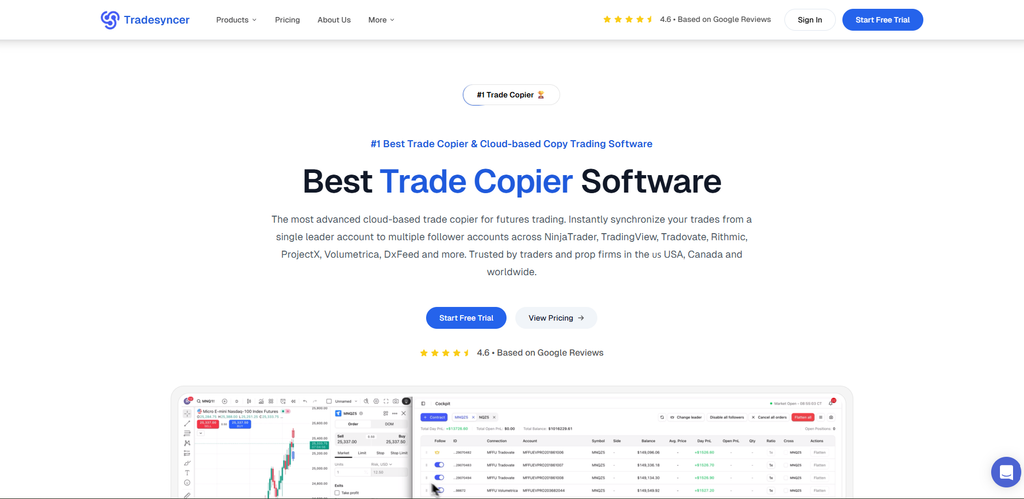
The platform is designed to synchronize trades from a single leader account to multiple follower accounts in real time. It supports a range of major futures trading platforms and data providers, including NinjaTrader, TradingView, Tradovate, Rithmic, ProjectX, Volumetrica, and DxFeed.
Unlike traditional trade copiers that may require local software or a VPS, TradeSyncer operates in the cloud. This means traders can manage their copying setup through a browser without having to keep their own computer running continuously.
This approach can be particularly useful for traders managing multiple prop firm accounts or trading accounts across different platforms.
How Does TradeSyncer Work?
The concept behind TradeSyncer is relatively straightforward.
First, the trader selects a leader account. This is the account where the original trades are placed.
The trader then connects one or more follower accounts. When a trade is executed on the leader account, TradeSyncer automatically replicates the relevant trade to the connected follower accounts according to the trader’s configuration.
This can eliminate the need to manually enter the same order across multiple accounts.
For example, imagine that a trader manages 10 futures accounts and wants to execute the same strategy on all of them. Instead of opening the same position individually on each account, the trader can place the trade on the leader account and allow TradeSyncer to synchronize it across the follower accounts.
The platform also provides position sizing controls, multiple copy groups, bracket orders, and different execution modes to give traders greater control over how trades are replicated.
Key Features of TradeSyncer
1. Cloud-Based Trade Copying
One of TradeSyncer’s main advantages is its cloud-based architecture.
The trade copier does not require additional local software or a dedicated VPS. According to TradeSyncer, the platform can continue copying trades even when the user’s computer is offline.
For traders managing several accounts, this can reduce the amount of technical maintenance required to keep a copying system running.
2. Multi-Account and Multi-Platform Support
TradeSyncer is built around multi-account trading.
The platform supports major futures trading environments, including:
- NinjaTrader
- TradingView
- Tradovate
- Rithmic
- ProjectX
- Volumetrica
- DxFeed
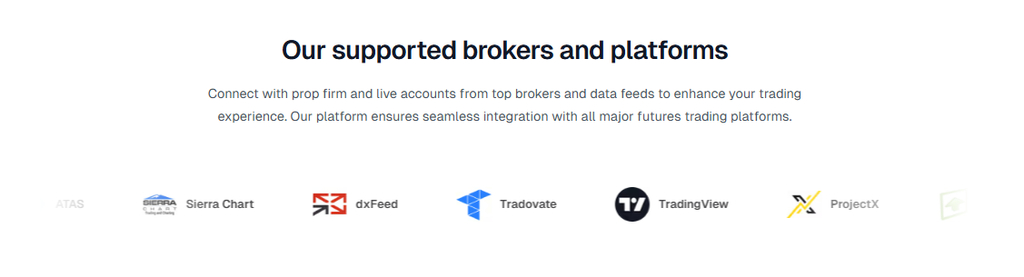
This makes it possible to connect accounts across different platforms while managing the overall setup from one interface.
The number of accounts available depends on the subscription plan, with the highest current plan supporting up to 120 accounts, with additional account slots available.
3. Real-Time Trade Synchronization
TradeSyncer focuses heavily on fast trade replication.
The company states that its cloud infrastructure can synchronize trades with latency of under 100 milliseconds.
For futures traders, fast synchronization can be important because market conditions can change rapidly. However, traders should remember that synchronization speed does not guarantee identical execution prices across every account. Market liquidity, broker infrastructure, order type, and other factors can still affect the final fill.
4. Built-In Risk Management
Another notable feature is the integrated risk management system.
TradeSyncer allows users to establish risk parameters directly within the platform rather than relying on separate risk-management software.
According to the company, traders can configure controls such as position limits, maximum loss parameters, automatic stop-loss rules, and account lockouts based on specific conditions.
This can be particularly useful for prop firm traders, where maintaining strict drawdown and risk limits is often essential.
5. Trading Journal and Analytics
TradeSyncer also includes a built-in trading journal and analytics system.
The journal automatically records copied trades and provides performance information across connected accounts. Traders can use these tools to compare account performance, analyze trading patterns, and identify which strategies are producing better results.
Having trade copying and performance analysis in the same platform can make it easier to monitor a multi-account trading operation.
6. TradingView Integration
TradeSyncer supports TradingView integration, allowing traders to use TradingView alerts as part of their automated trading workflow.
This can be useful for traders who build their strategies around TradingView charts and want to connect their signals to futures trading accounts.
7. Cross-Device Access
Because TradeSyncer is cloud-based, the platform can be accessed through a browser on different devices.
This allows traders to monitor their accounts and copying activity without being tied to a single computer. The company states that the platform is accessible across desktop and mobile devices.
TradeSyncer Pricing
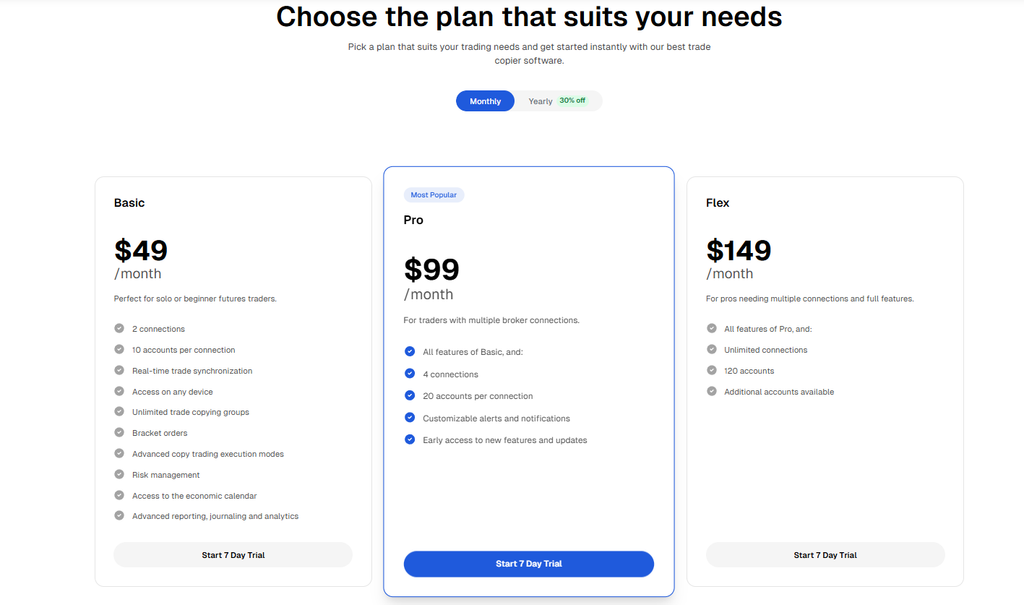
TradeSyncer currently offers three main subscription plans: Basic, Pro, and Flex.
| Plan | Monthly Price | Connections | Accounts |
| Basic | $49/month | 2 | Up to 10 accounts per connection |
| Pro | $99/month | 4 | Up to 20 accounts per connection |
| Flex | $149/month | Unlimited | Up to 120 accounts |
Basic — $49/month
The Basic plan is designed for traders with a smaller number of accounts.
It includes:
- 2 connections
- Up to 10 accounts per connection
- Real-time trade synchronization
- Unlimited trade copying groups
- Bracket orders
- Risk management
- Advanced execution modes
- Trading journal and analytics
- Economic calendar
Pro — $99/month
The Pro plan is designed for traders who need more connections and account capacity.
It includes everything in Basic, plus:
- 4 connections
- Up to 20 accounts per connection
- Customizable alerts and notifications
- Early access to selected new features and updates
Flex — $149/month
Flex is intended for traders with larger multi-account setups.
It includes:
- Everything in Pro
- Unlimited connections
- Up to 120 accounts
- Additional account slots available
TradeSyncer also offers a 7-day free trial with full access to its features. The company states that there are no setup fees or per-trade charges, and users can upgrade or downgrade their subscription with prorated billing.
Pros of TradeSyncer
Easy Multi-Account Management
The biggest advantage is the ability to manage multiple trading accounts from a centralized system. This can significantly reduce repetitive manual work.
No VPS Required
Because the copier runs in the cloud, users do not need to maintain a VPS specifically for the trade copier.
Broad Platform Compatibility
Support for NinjaTrader, TradingView, Tradovate, Rithmic, ProjectX, Volumetrica, DxFeed, and other platforms gives traders considerable flexibility.
Integrated Risk Management
Having risk controls built directly into the copying system can be valuable for traders managing prop firm accounts.
Built-In Analytics
The integrated journal and analytics tools provide additional visibility into performance across multiple accounts.
Scalable Pricing Structure
The three subscription levels allow traders to start with a smaller setup and move to a higher plan as their account requirements grow.
Potential Drawbacks and Things to Consider
Although TradeSyncer offers a convenient solution for multi-account trading, it is not necessarily the right tool for every trader.
It May Be Unnecessary for Single-Account Traders
If you only trade one account, there may be little reason to pay for a dedicated multi-account trade copier.
The platform is primarily valuable when you need to replicate trades across multiple accounts.
Copying Does Not Guarantee Identical Execution
Even with fast synchronization, the execution price on follower accounts may differ from the leader account.
Differences can occur because of market conditions, liquidity, broker infrastructure, order routing, or other execution factors.
Check Prop Firm Rules Carefully
Traders should always verify the copy-trading rules of their individual prop firms before connecting accounts.
Different firms may have different policies regarding account linking, trade copying, automation, and other forms of synchronized trading.
TradeSyncer itself also advises users to check the specific policies of their broker or prop firm.
The Higher Plans Can Become Expensive
For traders with only a few accounts, the $49 Basic plan may be sufficient. However, traders managing larger account portfolios may need the $99 Pro or $149 Flex plan.
Therefore, the value of TradeSyncer depends heavily on how many accounts you need to manage and how much manual work the platform can eliminate.
Who Is TradeSyncer Best For?
TradeSyncer is likely to be most useful for:
- Futures traders managing multiple accounts
- Prop firm traders
- Traders using several brokers or trading platforms
- Traders who want to replicate one strategy across multiple accounts
- Traders who want to reduce repetitive manual order entry
- Traders looking for integrated risk management
- Traders who want centralized trading analytics and journaling
On the other hand, traders who only operate a single account may find that a dedicated trade copier provides limited additional value.
Is TradeSyncer Worth Trying?
For traders managing multiple futures or prop firm accounts, TradeSyncer offers a practical combination of trade copying, account management, risk controls, and performance analytics.
Its cloud-based design is particularly attractive for traders who do not want to maintain local copier software or a dedicated VPS. The platform also supports a broad range of futures trading environments and provides a 7-day free trial, allowing users to test the system before committing to a paid subscription.
However, traders should treat the copier as a tool for execution and account management rather than a source of trading profits. TradeSyncer does not make a trading strategy profitable by itself, and users remain responsible for evaluating their strategy, risk exposure, and the rules of their broker or prop firm.
Final Verdict
TradeSyncer is a cloud-based trade copier designed primarily for traders who need to manage and synchronize positions across multiple futures trading accounts.
Its strongest features are its cloud-based infrastructure, multi-platform support, real-time synchronization, integrated risk management, and built-in trading journal.
For a trader with several prop firm or futures accounts, these features can significantly simplify the trading workflow and reduce the need to manually place identical orders across multiple accounts.
The 7-day free trial also makes it relatively easy to test the platform before purchasing a subscription.
Overall, TradeSyncer is worth considering if your main goal is to simplify multi-account futures trading and maintain greater control over your trading setup from a single platform.
Try TradeSyncer
If you are interested in testing the platform, you can start with the 7-day free trial through the link below:
Start Your 7-Day Free Trial of TradeSyncer
Disclosure: This article contains a referral link. If you sign up through this link, we may receive a commission from TradeSyncer at no additional cost to you.